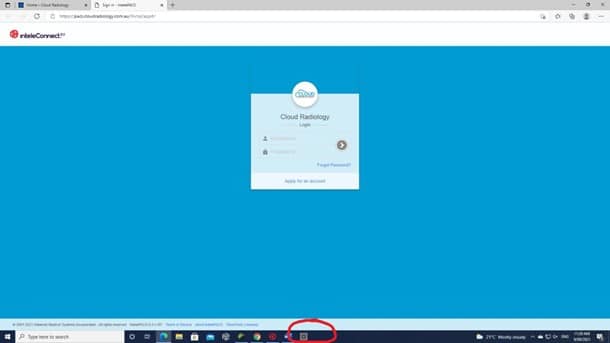
- Open the Cloud Radiology website on your internet browser cloudradiology.com.au
- Go to the Referrers tab

- Request an account if one has not already been created

- Fill in all details with a *

- When the account is approved you will receive an email notification of confirmation
- The username and password may be different than requested due to certain restrictions but this will be outlined in the email
Viewing Images
- Access the Cloud Radiology website Referrers tab once again
- This time use the “Open Inteleconnect” tab

- Enter Username and Password

- All patients associated with the provider number of the account will display under the “My Patients”
- Search bar also available to search for a specific patient

- Any issues please contact the Cloud Radiology Imaging Manager nathan@cloudradiology.com.au
- Or give us a call on 2112 2000
Creating a Desktop Shortcut for Inteleconnect
GOOGLE CHROME
- Access the Cloud Radiology “Open Inteleconnect” webpage via the Referrers tab
- Click on the 3 dots in the upper right-hand corner of the page
- Choose “MORE TOOLS”
- Then “CREATE SHORTCUT” as per below

- Change the name in the shortcut window to something recognizable like “CLOUD RADIOLOGY”
- An icon will now be displayed on the desktop
MICROSOFT EDGE/ INTERNET EXPLORER
- Follow all above steps EXCEPT choose “PIN TO TASKBAR”
- This will display a shortcut icon in the taskbar at the bottom of the screen as below